


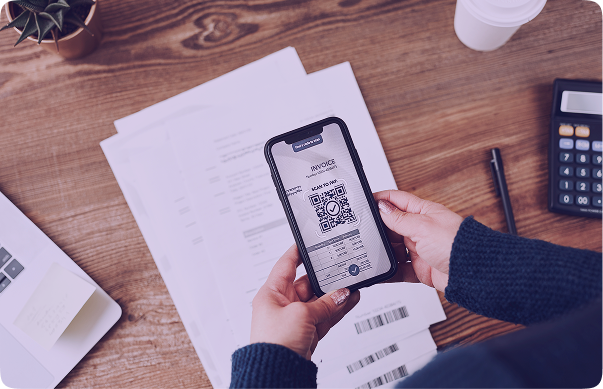
Invoice processing doesn’t have to be slow, manual, or error-prone. With iCaptur’s AI-powered Invoice OCR Extractor, businesses can turn messy, time-consuming document workflows into clean, automated data pipelines. The system reads invoices of any format—PDFs, scans, photos, or emails—and extracts every detail within seconds, from header fields to item-level tables. It works effortlessly at scale, integrates seamlessly with accounting and ERP tools, and reduces the need for repetitive manual entry. Whether you manage logistics, finance, or procurement operations, iCaptur helps streamline approvals, speed up billing cycles, and ensure accurate financial data across every workflow.
Too Long, Didn't Read:
- Extract all invoice data from PDFs, scans, and photos using AI-powered OCR.
- Capture vendor details, line items, taxes, totals, and multi-page content with high accuracy.
- Automatically validate totals, flag errors, and integrate seamlessly with Tally, QuickBooks, and SAP via API or CSV.
- Process high invoice volumes instantly, cutting manual work by 50–70% and accelerating approvals from day one.
- Ensure full GDPR/CCPA compliance with 24-hour auto-deletion, encrypted storage, and enterprise-grade security.
1. Why use AI-powered OCR instead of manual data extraction?
Manual data entry is slow, repetitive, and prone to errors—especially when teams handle hundreds of documents every day. AI-powered OCR removes this bottleneck by extracting data from invoices, freight bills, and trip sheets in seconds with high accuracy, regardless of the format. The system doesn’t get tired or overlook details, leading to fewer corrections and a significant cut in operational costs. It also reduces dependency on large back-office teams. Once extracted, the data flows directly into accounting, ERP, and TMS systems, enabling real-time insights for billing, reconciliation, audits, and decision-making. The result is a faster, scalable, and reliable operational cycle from day one.
2. How Does OCR Capture Every Detail from an Invoice?
AI-powered OCR understands the overall structure of an invoice rather than simply reading individual text blocks. It recognizes layout patterns, semantic relationships, and visual cues across the document. This includes vendor details, invoice totals, tax components, dates, addresses, line-item descriptions, multi-line notes, and even handwritten or scribbled entries.
Whether the document is a mobile photo, a scanned PDF, or an email attachment, the OCR engine automatically normalizes the file, reduces noise, corrects distortion, and optimizes the layout for accuracy. It adapts to variations in fonts, templates, colors, and designs and performs contextual analysis to ensure even subtle elements like surcharges, discounts, HSN codes, or additional charges are captured correctly. This eliminates the need for repeated template creation or manual adjustments.
3. Can OCR Read Scanned PDFs, Photos, and Low-Quality Images?
Yes. AI OCR engines are trained to extract data from a wide range of document types and qualities, including:
- Scanned PDFs
- Mobile captured invoices
- Slightly blurred or skewed images
- Faded or low contrast text
- Screenshots
- Compressed documents
The system uses preprocessing techniques like noise removal, orientation correction, deskewing, and contrast enhancements to improve clarity. Because of these optimizations, OCR can detect text regions, table structures, and even faint characters that manual reviewers might miss.
4. How Accurate Is OCR for Complex Invoice Layouts?
AI-OCR achieves high accuracy even with complicated layouts. Unlike rigid template-based systems that break with minor layout changes, AI models understand structure and context. They identify patterns across thousands of vendor formats—from simple retail invoices to multi-table logistics bills.
Tricky elements like merged cells, multiple tax components, unusual alignments, or dense line items are handled well because the AI adapts to structure, not fixed templates. Accuracy increases over time as the system processes more invoices, continuously learning new formats and improving field recognition.
For industries dealing with lengthy, multi-section invoices—like logistics, retail, transport, or FMCG, this adaptive intelligence reduces manual validation work and accelerates downstream processes significantly.
5. What Types of Invoice Details Can OCR Extract Automatically?
OCR captures a wide range of key invoice fields, covering both basic header-level data and deep line-item details. These include:
Core Invoice Fields:
- Invoice Number
- Invoice Date
- Due Date
- Vendor Name & Address
- Buyer Details
- Payment Terms
- GST/VAT/Tax Details
- PO/GRN/Reference Numbers
- Currency
- Subtotal, Taxes, and Grand Total
Line-Item Level Fields:
- Item Descriptions
- Quantity
- Unit Price
- Line Total
- Discount
- Unit of Measurement
- Multi-line descriptions
- SKU / HSN / Product Codes
Additional Supporting Details:
- Shipping Charges
- Accessorial Charges
- Fuel Surcharges
- Freight Details
- Delivery Notes
- Invoice Notes
This comprehensive extraction ensures every financial and logistics detail is captured precisely, enabling better accounting accuracy and faster operational processing.
6. How Does OCR Handle Multi-Page or Multi-Line Invoices?
AI-based OCR tools like iCaptur use advanced multipage OCR techniques that process an entire invoice as one continuous document instead of treating pages separately. AI merges all pages before extraction, preserving layout and context while automatically ignoring repetitive headers, footers, and page numbers. It focuses only on meaningful invoice data. For multi-line item descriptions or long product details, AI intelligently groups text belonging to the same line item, ensuring it appears as one complete entry. Even invoices with hundreds of line items across several pages maintain structural accuracy.
This eliminates broken line items, repeated values, or missing totals. As a result, iCaptur ensures clean, structured, and highly accurate extraction for large or multi-page invoices common in logistics, manufacturing, and high-volume enterprise workflows.
7. Can OCR Detect Line Items Without Manual Correction?
Yes, in most cases. Line-item extraction relies on a combination of table detection, boundary identification, column alignment, and NLP-driven pattern analysis. The system identifies where tables begin and end, recognizes column structures, and maps values correctly, even when formats differ across vendors. Manual correction is usually unnecessary, but in rare cases—such as extremely blurred images or handwritten entries, the OCR may flag specific fields for user review. This flagging ensures users only verify uncertain areas rather than reviewing entire documents. The result is significant time saved and a drastic reduction in manual checks.
8. How Fast Is Modern AI-Based OCR Compared to Manual Entry?
AI-based OCR delivers extraction results in seconds. A task that typically takes several minutes per invoice can be completed instantly, regardless of complexity. Processing speed remains consistent whether the batch contains 10 documents or 10,000. This speed results in a 10x–20x improvement in operational efficiency. Automated validation and error detection further reduce back-and-forth corrections, enabling faster approvals, quicker billing cycles, improved cashflow visibility, and less operational lag.
9. What Happens If the Invoice Has Errors or Missing Fields?
OCR does not forcefully extract unclear or incorrect values. When fields are missing, inconsistent, or unreadable, the system flags them for review. For example, if totals don’t match line-item sums or if tax values seem off, the AI highlights these issues instead of guessing.
The system can also perform intelligent cross-checking—validating totals, verifying tax percentages, and matching data across related documents like POs or delivery notes. These checks reduce manual detective work and help avoid downstream issues during reconciliation, audits, or vendor communication.
10. Does OCR Integrate with Accounting Tools (Tally, Zoho, QuickBooks)?
Yes, iCaptur’s invoice OCR integrates seamlessly with popular accounting and enterprise systems such as Tally, Zoho Books, QuickBooks, SAP, Oracle, and various logistics tools including TMS and WMS platforms.
Integration can be done via APIs, automated workflows, or export formats like CSV, XLSX, and JSON. Once data is extracted and validated, it flows straight into the target system without manual data entry. This ensures consistency across tools and eliminates duplicate entries or transfer errors.
11. How Do Businesses Start Using Invoice OCR?
Getting started is simple and requires no technical expertise:
- Upload a few sample invoices–The system auto-identifies fields using AI models.
- Configure field mappings–Map extracted fields to your accounting or ERP system.
- Set export or integration preferences–Choose formats like CSV or enable API transfers.
- Begin large-scale processing–Upload documents, email them to a dedicated inbox, or integrate via API.
Within minutes, the system begins extracting, validating, and exporting structured data.
12. What Results Can You Expect Within the First Week?
Within the first week, companies typically notice:
- A drastic reduction in manual data entry
- Faster invoice approvals
- Cleaner, more accurate data in accounting systems
- Lower backlog accumulation
- Improved team efficiency
- Faster reconciliation and month-end closing
- Major time savings on repetitive administrative tasks
Many organizations report a 50–70% decrease in manual workload and a significant improvement in processing within just a few days.
13. Is there a free trial or demo available?
Yes. iCaptur offers a free trial or live demo where businesses upload real invoices and test the platform’s extraction accuracy. You can sign up, upload sample invoices, and see how extraction works in real time. This hands-on experience helps users evaluate accuracy, field detection, speed, and integration capabilities before deciding on a subscription.
14. How can I contact support or request additional capabilities?
You can connect the iCaptur team through the “Reach Us” page. Select either Sales Support or Technical Support, depending on your requirement, and submit your details along with a short description of your query.
For custom requirements or enterprise-level support, the same contact form works. You can describe your requirements, and iCaptur team will get back to you. This direct line of communication helps ensure that feature requests, custom integrations, or technical issues are addressed efficiently.
15. What is iCaptur’s data retention policy and how does the platform ensure compliance with security standards?
iCaptur retains uploaded invoices and extracted data for only 24 hours, after which everything is automatically deleted. This short retention window strengthens privacy and reduces long-term exposure.
The platform complies with major global regulations including GDPR, CCPA, HIPAA, and ISO/IEC standards. It follows strict internal protocols for managing sensitive data, supported by encrypted storage, secure access controls, continuous monitoring, and privacy-first workflows. Even when integrating with third-party ERPs platforms, iCaptur maintains end-to-end protection without compromising on compliance or trust.
Final Thoughts
AI-powered OCR has evolved into a core operational necessity rather than an optional add-on. iCaptur makes document extraction simpler, faster, and far more reliable by removing manual work, reducing errors, and delivering consistent accuracy across formats. With seamless integrations, strong security practices, and support for even the most complex invoices, it empowers teams to work with clarity and speed. Whether you’re processing a few hundred invoices or thousands each week, iCaptur ensures cleaner data, quicker approvals, and smoother financial cycles. It’s a practical, scalable solution for any organization looking to modernize its document workflows.