


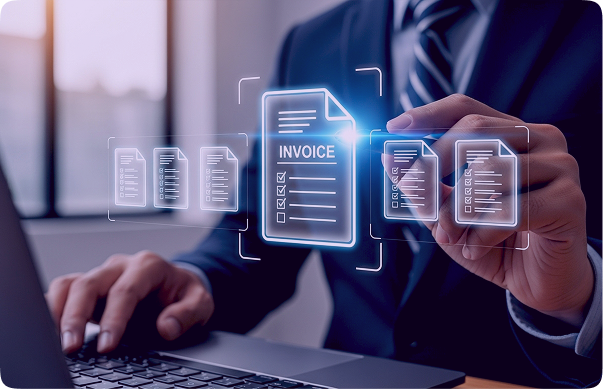
One mistyped number on an invoice is all it takes to delay a payment, disrupt reconciliation, or trigger audit issues. Despite the risk, many finance and operations teams still work with invoices arriving in every possible format such as PDFs, scans, email attachments, and mobile photos, each with its own layout, and inconsistencies. The challenge isn’t the volume. It is the manual effort behind processing them.
Teams spend hours reading, verifying, and entering details like invoice numbers, dates, tax values, and line items into accounting and ERP systems. Small errors add up quickly, leading to duplicate payments, compliance risks, and strained vendor relationships.
AI-powered OCR invoice data extraction transforms the workflow. By combining optical character recognition with layout intelligence and automated validation, invoice OCR converts unstructured invoices into clean, structured data. Finance teams can cut manual effort by up to 70 percent, accelerate approvals, and maintain audit ready records, turning invoice processing into a dependable, scalable operation.
What Are Invoice Data Fields?
Invoice data fields are the structured elements embedded within an invoice such as invoice numbers, dates, amounts, tax values, vendor details, and line-item descriptions. These fields are the foundation accounting systems rely on to post entries, match transactions, and support audits.
With OCR based invoice field extraction, these data points are automatically identified, captured, and converted into machine-readable formats. Instead of static documents, invoices become structured datasets that accounting platforms, ERPs, and analytics tools can actually use.
Typical invoice fields captured through OCR include:
- Header details such as supplier name, invoice number, and issue date
- Financial values including subtotals, discounts, and taxes.
- Line item tables
- Addresses and contact information
- Payment terms and compliance-related data
Pro tip: OCR accuracy improves significantly with clean input documents. Deskewing, noise removal, adequate resolution (300 DPI or higher), and good contrast all contribute to better recognition and more reliable table extraction.
Data Fields OCR Can Extract from Invoices
1. Invoice Number
Invoice number is a unique supplier-assigned identifier that anchors the entire invoice lifecycle. Invoice numbers are central to accounting accuracy, as they link invoices to payments, purchase orders, and audit records. No two invoices from the same supplier should share the same number, making this field critical for financial integrity.
OCR tips & considerations:
- Look for label-based cues such as Invoice No., Inv #, Bill Reference, or Document Number.
- Use regex rules to validate expected alphanumeric formats and length ranges.
- Cross-check values against historical data to flag duplicates or anomalies.
Why it matters:
Accurate invoice number extraction enables duplicate detection, clean audit trails, and reliable matching with payment and procurement systems. Pretrained invoice models, such as those used by iCaptur, often deliver invoice IDs ready for downstream validation and exception handling.
2. Invoice Issue Date
This is the data the invoice was generated by the supplier. Invoice issue dates influence payment timelines, aging calculations, early payment discounts, and compliance reporting. Even small date inaccuracies can disrupt downstream financial processes.
OCR tips & considerations:
- Dates may appear in multiple formats (DD/MM/YYYY, MM/DD/YYYY, textual months).
- OCR engines should use locale-aware date parsing to avoid misinterpretation
- Contextual keywords like Invoice Date, Date Issued, or Bill Date improve accuracy.
Why it matters:
Correct invoice dates support accurate aging reports, proper payment prioritization, and fewer disputes over late or early settlements.
3. Itemized Tables & Line-Item Details
This section lists individual products or services, quantities, unit prices, and line totals. It carries the most transactional detail and is often the most complex to extract accurately duue to layout variability.
OCR tips & considerations:
- Table detection models must handle inconsistent layouts, merged cells, and multi-page layouts.
- Row-level confidence scoring helps identify missing or misaligned values
- Header normalization ensures columns like Qty, Unit Price, and Amount are mapped consistently.
Why it matters:
Item-level data supports granular cost analysis, accurate purchase order matching, and better visibility across departments.
4. Contact Information: Email, Phone, Fax
These are supplier or billing contact details listed on the invoice included for communication and follow-up.
OCR tips & considerations:
- Pattern recognition works well for emails and phone numbers, but positional context is essential.
- OCR systems must distinguish supplier contact details from customer information.
- Noise removal is essential, especially when contact details appear in footers
Why it matters:
Quick access to accurate contact details simplifies dispute resolution and reduces processing delays caused by missing or information.
5. Notes and Comments on Invoice
These are the additional free-text instructions that often contain special instructions, terms, or remarks from the supplier.
OCR tips & considerations:
- Notes often lack consistent labels and appear in unstructured text blocks.
- NLP-assisted OCR improves semantic understanding of these sections.
- Tagging notes separately prevent them from interfering with financial data.
Why it matters:
Notes may include payment instructions, special charges, or compliance requirements that directly impact processing decisions like approval and settlement.
6. Customer Details: Name & ID
This identifies the billed entity receiving the invoice and responsible for payment.
OCR tips & considerations:
- OCR systems should differentiate customer names from supplier names using positional cues.
- Customer IDs often follow internal formats and benefit from rule-based validation.
- Cross-referencing master data improves confidence and accuracy.
Why it matters:
Correct customer identification ensures invoices are routed to the appropriate departments, cost centres, or approval workflows.
7. Billing Address Information
The official address associated with the billing entity/ customer.
OCR tips & considerations:
- Address blocks may span multiple lines with inconsistent formatting.
- OCR engines should treat addresses as grouped entities rather than isolated fields.
- Geo-normalization helps standardize city, state, and postal codes.
Why it matters:
Accurate billing addresses support tax calculations, compliance checks, and jurisdiction-based validation.
8. Shipping Address & Details
The destination where goods or services are delivered.
OCR tips & considerations:
- Label detection is crucial to distinguish shipping and billing addresses since they appear similar.
- OCR should capture associated fields like delivery date or shipping method.
- Comparison logic helps identify discrepancies between addresses.
Why it matters:
Shipping details are critical for logistics reconciliation, delivery verification, and dispute resolution.
9. Supplier Name
The organization entity issuing the invoice.
OCR tips & considerations:
- Supplier names may appear in logos, headers, or letterheads.
- Layout-aware OCR improves accuracy when text is embedded in branding elements.
- Vendor master matching helps resolve naming variations.
Why it matters:
Reliable supplier identification supports vendor analytics, compliance checks, and streamlined payment workflows.
10. Supplier Address
The registered or operational address of the supplier.
OCR tips & considerations:
- OCR must handle multi-line and international address formats.
- Decorative elements should be filtered during preprocessing.
- Normalize addresses for consistency across documents.
Why it matters:
Supplier addresses are often required for regulatory reporting, audits, and legal documentation.
11. Payment Due Date
The deadline by which payment must be completed.
OCR tips & considerations:
- Due dates may be explicit or implied through payment terms.
- OCR should capture both Due Date and Net Terms when available.
- Logic-based validation can flag unrealistic due dates.
Why it matters:
Accurate due dates help avoid late fees, missed discounts, and strained vendor relationships.
12. Outstanding Amount
The final payable amount after taxes, discounts, and adjustments.
OCR tips & considerations:
- OCR systems should cross-validate totals against line-item calculations.
- Detect and validate currency in multi-region invoices.
- Confidence scoring helps identify calculation inconsistencies.
Why it matters:
This is the number that ultimately triggers payment and accuracy is non-negotiable.
13. Applied Discounts
Reductions applied to the invoice total, either as percentages or flat amounts.
OCR tips & considerations:
- OCR should link discounts contextually to subtotal or total sections.
- Apply rule-based checks to ensure correct application.
- Look for discounts near subtotal or payment terms sections.
Why it matters:
Missed discounts directly impact profitability and cost optimization.
14. Tax Information
Details of applicable taxes such as GST, VAT, or sales tax.
OCR tips & considerations:
- Rule-based tax logic improves compliance accuracy.
- OCR should capture tax rates, tax amounts, and tax IDs separately.
- Geo-specific tax logic improves accuracy in regional compliance.
Why it matters:
Accurate tax extraction is essential for compliance, reporting, and audit readiness, particularly in markets with complex GST structures.

Importance of Extracting Data Fields from Invoices
Ensures Accurate Financial Records
Accurate extraction of key invoice fields such as invoice number, dates, totals, and tax details keeps financial records precise and dependable. Clean data reduces reconciliation effort, prevents posting errors, and ensures reports reflect the true state of your transactions across accounting periods.
Speeds Up Invoice Processing
Automation also speeds up invoice processing by removing manual entry bottlenecks. Invoices move faster through validation, approval, and payment, leading to quicker settlements and stronger vendor relationships.
Reduces Errors and Discrepancies
Manual handling often leads to mistakes like incorrect amounts, duplicate entries, or misplaced dates. OCR-driven extraction applies validation rules and consistency checks, catching mismatches early and reducing costly rework or payment disputes.
Improves Compliance and Auditability
Structured invoice data creates a clear, traceable audit trail. Capturing fields like tax details, supplier information, and payment terms supports regulatory compliance and makes audits faster, more transparent, and far less disruptive.
Enables Better Decision-Making
When invoice data is captured accurately at the field level, finance teams gain real visibility into spending patterns, vendor performance, and cost trends. This insight drives smarter decisions around budgeting, cost optimization, and procurement strategies.
Facilitates Integration with Accounting Systems
Standardized, structured data integrates seamlessly with ERP and accounting platforms. This reduces manual intervention, ensures consistency across systems, and enables straight-through processing from invoice receipt to payment.
Detects Duplicate Invoices and Fraud
Extracting identifiers like invoice numbers, supplier names, and amounts makes automated duplicate detection possible. Cross-checking against historical records helps flag potential fraud, overbilling, or accidental resubmissions before payments are released.
Unlock the full potential of AI-powered invoice OCR.
Connect with us to digitize invoices from any source—PDFs, scans, emails, or photos and accurately extract every critical data field at scale. Eliminate manual entry, reduce errors, and seamlessly integrate structured invoice data into your ERP and accounting systems for faster, audit-ready finance operations.
Enhancing your workflow through
AI integration is key to future success.
processes and improve efficiency!